The problem#
I've spent years shooting real events, and most of what makes that work isn't written down anywhere. It lived in my head, in my notes and in years of teaching — which meant it could only ever scale one way: me, in the room, again.
Every workshop and every answered question went out once and disappeared. The knowledge was proven — 3,000+ events of it — but there was no product. Nothing a beginner could open late at night, on their own, and actually finish.
The goal was simple to say and hard to do: take the teaching and package it into a native iOS product — a beginner's guide to capturing real events with confidence — and ship it for real.
How does it work?#
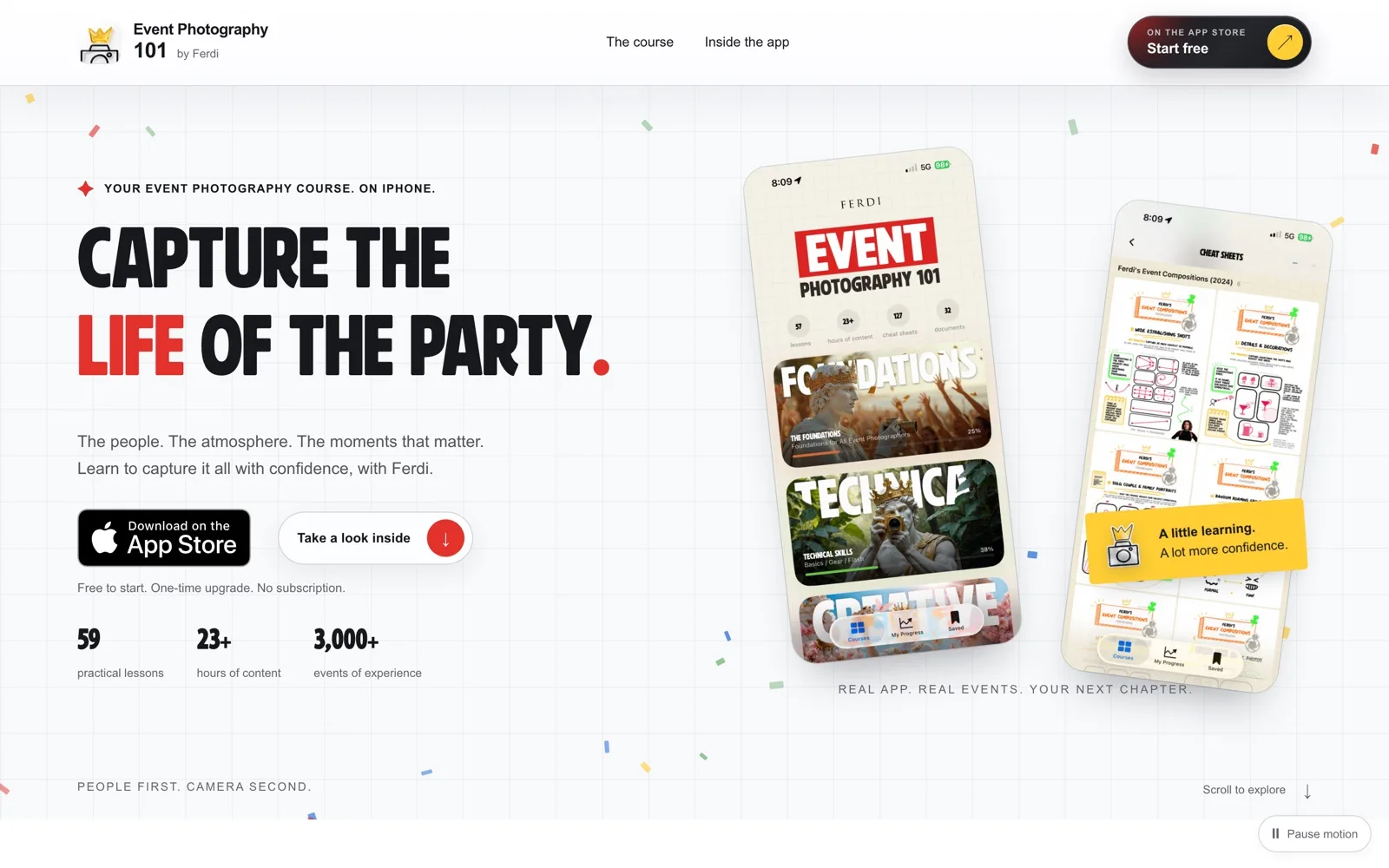
The app is a course in your pocket. Open it and you land on the course map; from there it's lesson navigation, lesson playback and cheat sheets — the same structure I'd use teaching in person, rebuilt for a phone screen. The chain, in one line: open the app → course map → lesson → cheat sheet → back to the event.
- courses
- 4 courses + Extras — the spine of the product, from foundations to the skills you actually use at an event.
- lessons
- 59 lessons, each built around one idea you can act on at your next gig.
- playback
- Video delivered natively with AVKit over HLS — 23+ hours of lesson material that streams inside the app.
- cheat-sheets
- 127 cheat sheets for the moments there's no time to watch anything.
- unlock
- Free to start; the full library is a one-time upgrade through StoreKit — no subscription.
What did I build?#
- The product and its information architecture. Courses, lessons, cheat sheets and progress — the map of what to learn first, and what to reach for when you're standing at an event with a camera in your hand.
- The app itself. Native iOS in SwiftUI, with AVKit/HLS video playback and a StoreKit purchase flow for the one-time upgrade.
- The content library. 59 lessons across 4 courses + Extras, 127 cheat sheets and 23+ hours of teaching — written to be usable mid-event, not just watched on the couch.
- The release. Through App Store review to a live listing — the part most side projects never reach.
- The product site. ep101.app carries the pitch: 59 practical lessons, 23+ hours of content, 3,000+ events of experience behind it.
AI agents accelerated production. The teaching, the product decisions and the release stayed mine.
I turned 17+ years of event-photography experience into a shipped iOS learning product.
Before and after#
| Area | Before | After |
|---|---|---|
| The knowledge | Lived in experience, notes and live teaching | 59 lessons across 4 courses + Extras, structured for a phone screen |
| Access | Only if you were in the room | An iOS app anyone can open — and finish at their own pace |
| Support material | Whatever a workshop had time for | 127 cheat sheets and 23+ hours of content, in your pocket |
| Delivery | Taught in person, once | A live App Store product with its own home at ep101.app |
Technical depth#
- SwiftUI
- AVKit
- HLS
- StoreKit
- App Store
Native, not wrapped. SwiftUI for the interface; AVKit over HLS so the video library streams instead of shipping as downloads; StoreKit for the one-time unlock. The content pipeline behind it follows the same principle I build everything on: decide the structure once, produce against it, and ship.
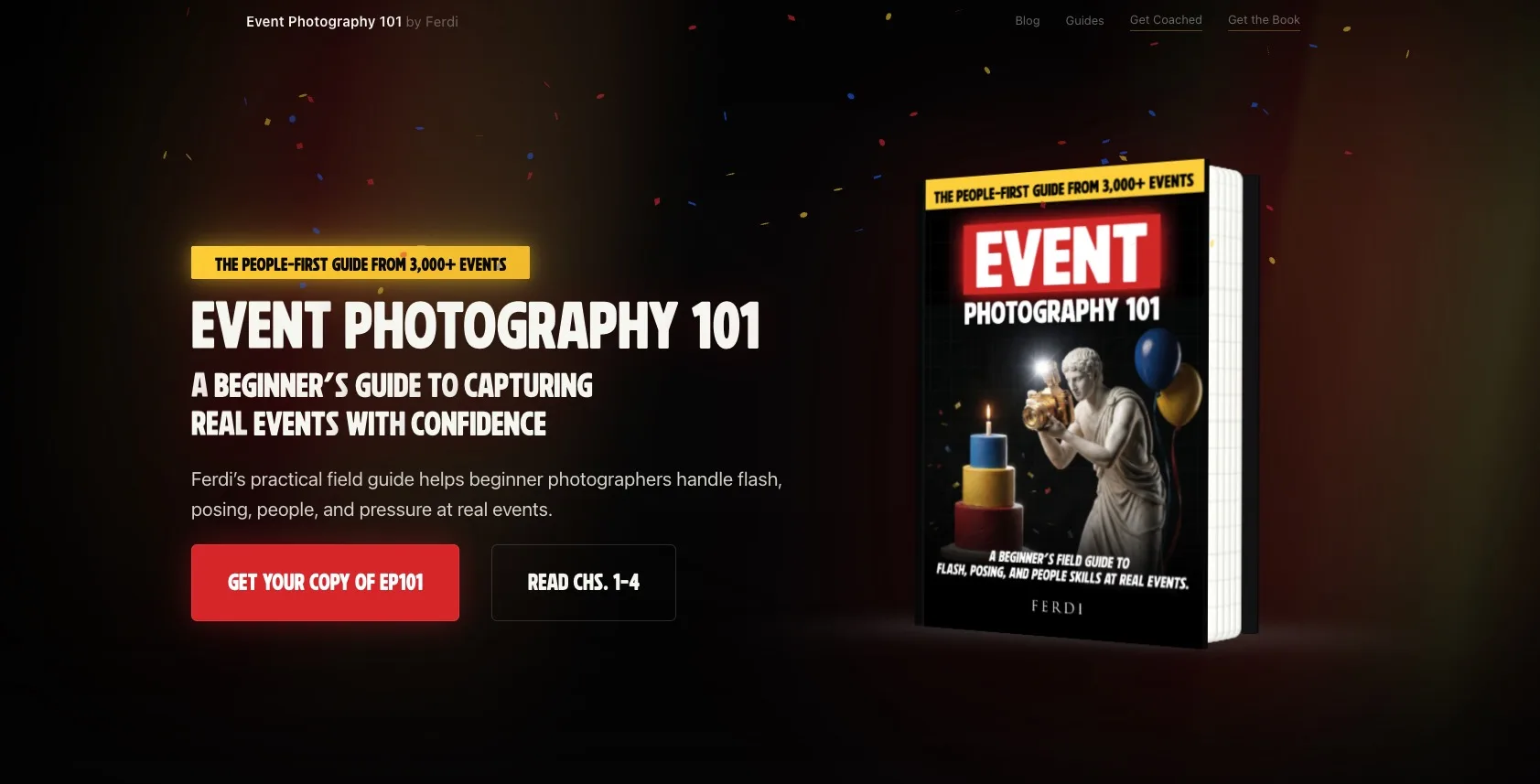
One body of teaching, several surfaces. The same material also lives on the Event Photography 101 YouTube channel and as a field guide; the app is the structured version.
Production readiness#
An app on the App Store is production: it passed review, it's listed, and it keeps working when I'm not watching it.
- Shipped through review. The listing is live — Event Photography 101 on the App Store.
- Content delivered, not bundled. Lessons are served for playback rather than sold as files, so 23+ hours of video stays manageable on a phone.
- Economics that don't churn. Free to start, one-time upgrade, no subscription — stated plainly on the product site.
The result#
A beginner's guide to capturing real events with confidence — the promise on the product line, delivered as a working app. 59 lessons, 4 courses + Extras, 127 cheat sheets and 23+ hours of content, live on the App Store with ep101.app behind it.
Why this matters to an employer#
Product ownership
One idea taken from concept to a live App Store listing: structure, content, build, release.
Mobile shipping
Native iOS — SwiftUI, video delivery, in-app purchase — not a web wrapper.
UX thinking
A course designed for one hand and a live event, not a desk and a browser tab.
AI-assisted production
Agents sped up production; the teaching and the judgment stayed human — and the result is on the store.